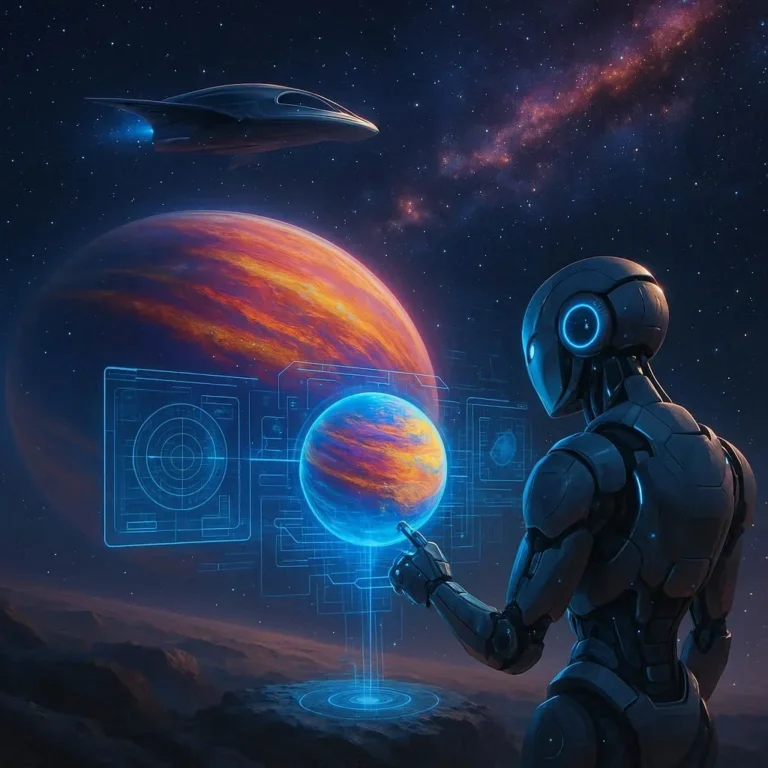

DIY Planetary Transit Simulator
Have you ever wondered how astronomers determine the size, orbit, and atmosphere of planets beyond our solar system? One of the most powerful tools in their toolkit is the planetary transit method. By monitoring the slight dimming of a star as a planet crosses its face, scientists can infer a wealth of data about exoplanets. In this guide, we’ll walk you through building a DIY planetary transit simulator—an affordable, hands‑on project that lets enthusiasts of all ages understand the physics of exoplanet detection and experiment with real‑world data analysis.
What Is a Transit?
A transit occurs when a planet passes directly between its host star and the observer, causing a minute dip in the star’s apparent brightness. This dip—measured in parts per thousand—can reveal the planet’s radius (relative to the star) and, when combined with other observations, its mass and orbital period. The transit technique has catalogued thousands of exoplanets, including worlds that may harbor lifeable conditions. For a scientifically grounded discussion of transits, the Wikipedia Transit article is an excellent starting point.
Materials & Tools
Before you begin, gather the following items. Many of these are inexpensive and can be found at hobby stores or online marketplaces. By using everyday components, you’ll gain a deeper appreciation for how professional equipment translates into educational tools.
- Raspberry Pi 4 or equivalent single‑board computer (available for $35–$45)
- 32‑MP Color Camera Module (compatible with Raspberry Pi)
- 3‑Axis Motorized Mount or DIY gyroscope base (for stabilizing the camera)
- Bright LED panel or household lamp to simulate starlight
- Small glass sphere or marble (to emulate a planet)
- 3‑D printed or wood platform for mounting components
- Python 3 with OpenCV and NumPy libraries (free, open‑source)
- Basic soldering kit and wiring for connections
- Power supply (5V/3A for Raspberry Pi; additional 12V for lamp)
- Internet connection for downloading open‑source software and calibrating data against real planetary observations from the NASA Kepler archive (NASA Exoplanet Archive)
Build Your Simulator
Follow these step‑by‑step instructions to construct a miniature transit system:
- Assemble the camera and mount. Attach the Raspberry Pi to the 3‑axis mount, ensuring the camera is fixed firmly to the board and aligned with the LED panel.
- Set up the illumination panel. Position the LED or lamp directly in front of the camera lens. Brighten it to a stable 10–12 lux that mimics the consistent light of a distant star. If glare is an issue, affix a narrow band‑pass filter to isolate a single wavelength, enhancing contrast.
- Place the “planet” on a rotating stand. Mount the glass sphere on a low‑speed motor (or manually rotate). The sphere should pass centrally between the lamp and camera, producing a predictable dip in brightness.
- Calibrate the system. Using the Raspberry Pi’s camera software, capture a short video (5–10 seconds) of the sphere’s transit. Record the pixel intensity data over time using a simple Python script. This raw dataset will serve as your baseline for identifying transit events.
- Develop a data‑processing pipeline. Write code to apply a box‑car moving average (or a Gaussian filter) to the pixel intensity, smoothing out noise while preserving the transit dip. Plot the resulting light curve and confirm the expected decrease in brightness matches the theoretical 1–2 % reduction typical of a mid‑size exoplanet.
- Scenario testing. Vary the planet’s size (use marbles of different diameters) and speed (motor drive) to observe how transit depth and duration change. Record the results and compare them to published transit light curves from NASA’s Kepler mission (Kepler Overview).
- Validate against real data. Fetch a real transit observation of a known exoplanet (for example, Kepler‑10b) from the Exoplanet Archive and overlay your simulated curve. Discuss discrepancies in terms of instrumental noise, atmospheric distortion (if any), and sampling rate.
Using the Simulator for Discovery
Beyond the mechanical construction, your DIY transit simulator opens fascinating educational doors. Here are three ways to extend the project:
- Data Mining Projects. Use the simulator to generate a library of synthetic transit curves at varying noise levels. Feed these into machine‑learning models (such as a convolutional neural network) to train on detecting subtle signals—mimicking how real observatories discover new planets.
- Citizen Science Experiments. Create a web‑based interface where volunteers upload their simulated light curves. Employ an algorithm to classify and flag “potential” exoplanet signatures for expert review, replicating the pipelines of citizen‑science exposé.
- Curriculum Integration. Incorporate the simulator into high‑school or university astronomy courses. Students will calculate orbital periods from stacked transits, estimate planetary radius, and even perform error analysis—all hands‑on, making the abstract math tangible.
Turn Curiosity Into Discovery—Build Your Own Transit Simulator Today! The planetary transit method fundamentally changed our view of the cosmos, turning distant suns into canvases where alien worlds reveal themselves in fleeting shadows. By recreating this process at home, you not only gain deep insights into astrophysics but also contribute to a lineage of scientific explorers who built their first telescopes out of scraps of wood and a dream. Grab the materials, fire up your Raspberry Pi, and watch the world’s planets slide past your tiny lamp in real time. Happy simulating—may your light curves be ever clear and your curiosity ever bright!
Frequently Asked Questions
Q1. What is the purpose of a DIY planetary transit simulator?
The simulator recreates the signal of an exoplanet passing in front of a star, allowing students and hobbyists to see how small dips in brightness reveal a planet’s size and orbit. It serves both as an educational tool and a bridge between theoretical astronomy and hands‑on experimentation.
Q2. Do I need advanced optics or a telescope to build it?
No. A simple LED lamp as the star, a Raspberry Pi camera module, and a small rotating sphere are sufficient. The key is stable light and precise timing, which the Raspberry Pi’s camera and software can handle.
Q3. How accurate can the light curve produced by this simulator be?
While laboratory noise and lighting variations limit exact fidelity, the simulator can reproduce transit depths on the order of 1–2 % and durations that match theoretical expectations for typical exoplanets. Calibration against real Kepler data helps quantify discrepancies.
Q4. Can I use this setup for actual data analysis or machine learning projects?
Absolutely. By generating a library of synthetic transit curves with varied noise, you can train convolutional neural networks to detect subtle signals, mimicking how professional surveys sift through millions of light curves.
Q5. What safety precautions should I keep in mind while building the device?
Use insulated wiring and a regulated power supply for the Raspberry Pi and lamp. Avoid touching exposed components while powered, and ensure the LED panel’s brightness does not exceed safe levels for your eyes.
Related Articles

100+ Science Experiments for Kids
Activities to Learn Physics, Chemistry and Biology at Home
Buy now on Amazon
Advanced AI for Kids
Learn Artificial Intelligence, Machine Learning, Robotics, and Future Technology in a Simple Way...Explore Science with Fun Activities.
Buy Now on Amazon
Easy Math for Kids
Fun and Simple Ways to Learn Numbers, Addition, Subtraction, Multiplication and Division for Ages 6-10 years.
Buy Now on Amazon